
VidGen AI: Create Motion Review 2026 – The Ultimate Mobile Video Suite vs. Leading Web Generative Platforms
The mobile creator economy in 2026 demands instant, high-fidelity production tools that live right in your pocket. As social media platforms prioritize rapid content deployment, mobile-first applications are stepping up to deliver features that used to require massive desktop rigs. Leading this wave on mobile devices is VidGen AI: Create Motion, an all-in-one creative application developed by App tonic studio.
Available globally, creators can download and explore the software directly on the Google Play Store. Whether you want to swap styles, manipulate photography parameters, or animate raw images, this app consolidates premium desktop-grade functionality into an intuitive portable ecosystem.
But how does a high-performing mobile app hold up against dedicated browser ecosystems like vidgenerator.ai and Vidgenie.ai? In this extensive breakdown, we will review the core tools packed inside the VidGen AI mobile application and contrast its strengths against the industry's leading desktop alternatives.
Exploring VidGen AI: Create Motion – Mobile Feature Breakdown
The primary appeal of the VidGen AI mobile framework is its modular, toolbox-driven interface. Instead of overwhelming the user with a single text prompt box, it breaks down asset generation into targeted, utility-focused workflows.
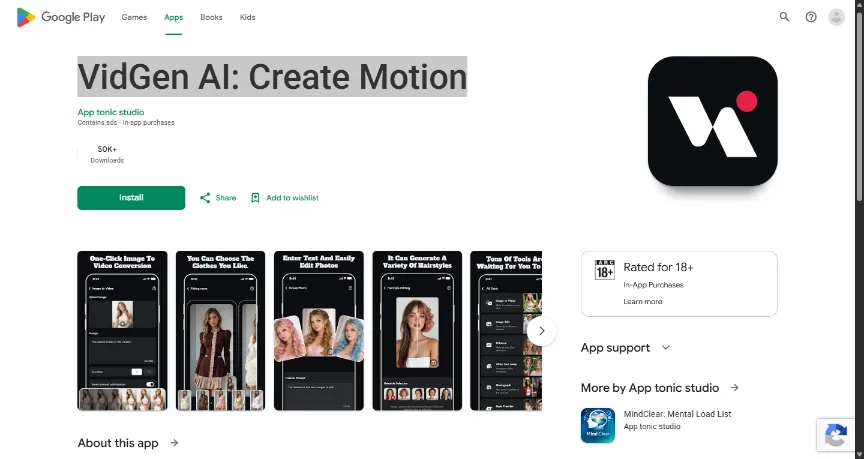
Figure 1: VidGen AI: Create Motion storefront overview showcasing over 50,000 downloads and a versatile mobile toolset.
1. Unified Creative Portal
When launching the application, users are greeted by an expansive hub designed for immediate action. The interface balances power and simplicity, making it accessible for casual social media optimization while keeping rendering pipelines robust for power users.
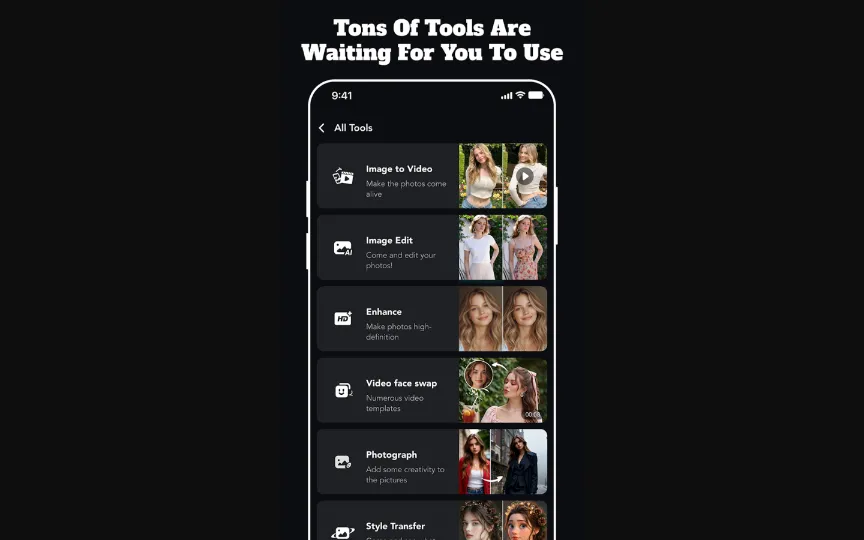
Figure 2: The mobile dashboard displaying a vast array of specialized functions including Image Edit, Enhance, Face Swap, and Style Transfer.
2. High-Fidelity Image to Video Conversion
The core engine driving the video synthesis side of the app is its one-click image to video conversion protocol. By analyzing spatial depth and textures in an uploaded static photo, the app allows you to inject kinetic life into any image using highly specific directional prompts.
Have localized rendering capabilities, users can input granular actions such as "The person smiles at the camera," select specific shot durations (such as 5s or 10s intervals), and toggle an internal smart prompt optimization tool to polish the output frame data automatically.
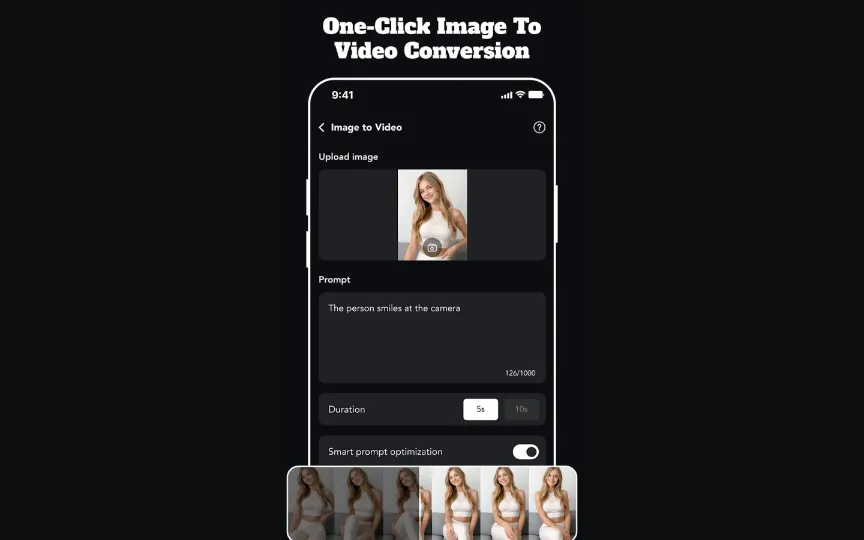
Figure 3: Executing a seamless text-guided image-to-video simulation directly on the mobile workspace.
3. Virtual Wardrobe and Precision Fitting Rooms
For fashion influencers, apparel marketers, and lifestyle digital channels, the app integrates a dedicated virtual AI fitting room feature. This segment permits creators to isolate a character model and swap out outfits or aesthetics seamlessly based on contextual sub-menus, significantly reducing real-world production overhead.
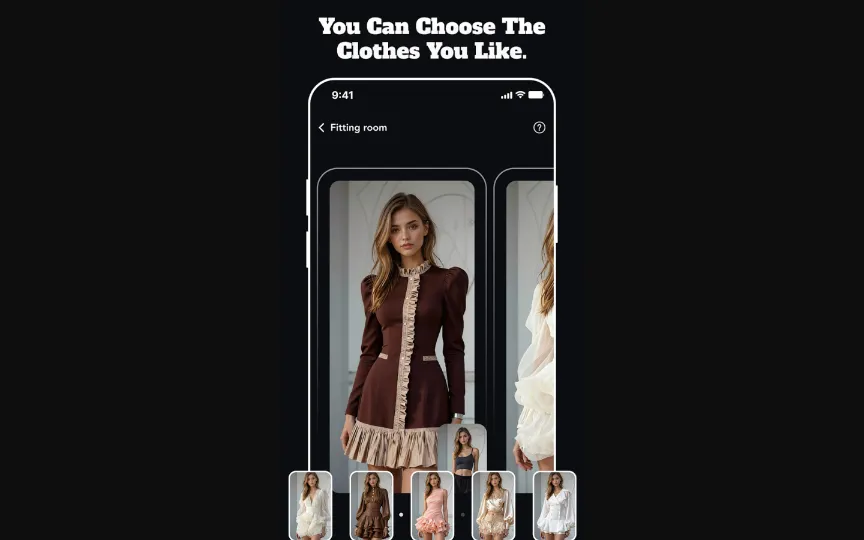
Figure 4: Customizing character apparel assets with modular style filters using the AI fitting room engine.
4. Advanced Style Refinement and Intelligent Photo Editing
Beyond generating motion, VidGen AI serves as a powerful utility for hyper-localized photographic modification. Users can upload a group photo or standalone portrait, type out variations via a custom photo prompt editor, and see structural transformations executed in seconds—such as changing a subject's hair texture, hue, or clothing arrangement while preserving face identity.
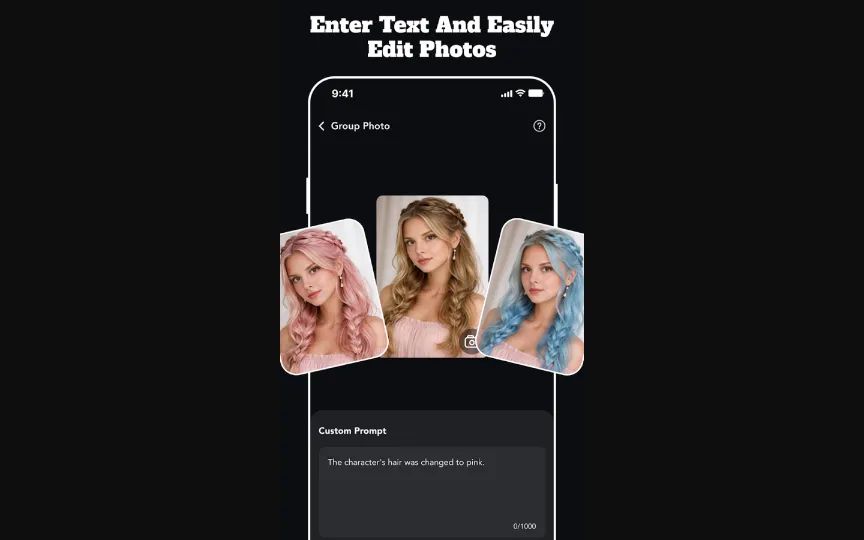
Figure 5: Modifying hair color profiles dynamically utilizing text-based editing overrides.
5. Specialized AI Hairstyle Selection Modules
If text prompting feels too imprecise, the app features a targeted AI hairstyle editing interface. This module maps out facial structures in real time and provides one-tap visual presets ranging from classic textures to trendy styles, serving as an exceptional tool for beauty bloggers and virtual style tests.
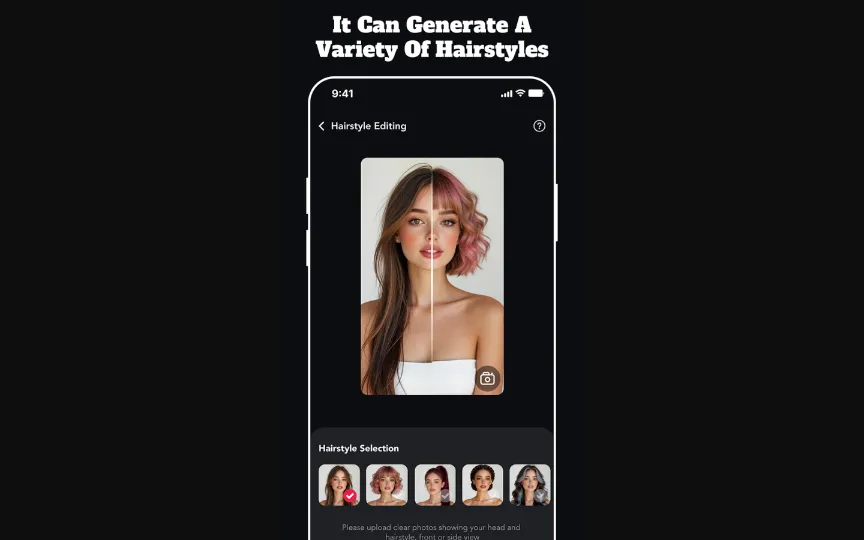
Figure 6: Utilizing split-screen real-time previews to apply automated hairstyle transformations.
Cross-Platform Analysis: Mobile Suite vs. Premium Web Engines
While the VidGen AI app is perfect for quick, localized, asset-by-asset manipulations on your phone, professional creative studios often look to cloud-backed web architecture for high-volume content schedules. The two prominent leaders dominating this space are vidgenerator.ai and Vidgenie.ai.
To understand where each tool fits inside your modern creative production stack, review our analytical matrix below:
Functional Ecosystem Comparison Matrix
| Creative Dimension | VidGen AI (Mobile App) | vidgenerator.ai (Web Platform) | Vidgenie.ai (Web Platform) |
|---|---|---|---|
| Primary Architecture | On-the-go mobile creation application optimized for single asset processing. | Desktop functional powerhouse web generator tailored for raw cinematic physics. | Browser-based automated story video engine built for script-driven workflows. |
| Core Workflow Value | Immediate utility tools (Face swap, one-click image to video conversion, hairstyle editing). | Extreme manual control over camera vectors, resolution boundaries, and macro-rendering. | Automated script generation, scene continuity tracking, and faceless channel automation. |
| Output Focus | Short-form social assets, quick portrait variations, lifestyle UGC hooks. | Commercial marketing assets, high-end visual effects clips, hyper-realistic independent cinema. | Long-form narrative storytelling, episodic series, and highly contextual commercial explanation videos. |
| Aesthetic Strengths | Portrait-centric corrections, realistic clothing modifications, instant social filters. | Industrial-grade photorealism, dreamscape visual effects, flawless character consistency. | Warm commercial presentation styles, 3D animated storytelling, and illustration art vectors. |
| Hardware Overhead | Zero computer requirements; operates on consumer mobile architecture with fast local queues. | Cloud-rendered; relies on web browser stability without demanding heavy desktop GPU specifications. | Fully cloud-hosted; scales expansive multiscene generation tasks without impacting local system RAM. |
Defining the Core Differences: How to Build Your Creative Stack
Choosing between these environments depends fundamentally on your daily production constraints, target formats, and hardware accessibility.
1. The Mobile Multi-Tool: VidGen AI
If your production model relies on quick turnarounds for Instagram Reels, TikTok, or localized marketing campaigns, VidGen AI provides unmatched convenience. It handles asset optimization, facial adjustments, and custom photo enhancements without requiring complex prompting knowledge. Features like face-swapping and hairstyle alterations allow creators to generate engaging visual hooks directly from a mobile device during live events or commutes.
2. The Director’s Choice: vidgenerator.ai
When your projects scale up to high-tier commercial marketing, cinema visual assets, or conceptual independent films, the web framework at vidgenerator.ai becomes essential. It trades preset-heavy mobile buttons for precise manual parameters. For technical animators who need to manipulate camera speeds, zoom dynamics, and environmental physics across raw frames, this platform delivers unmatched structural fidelity.
3. The Digital Storyteller: Vidgenie.ai
For creators scaling long-form horizontal content networks, text-based explainer clips, or continuous episodic tales, the web interface at Vidgenie.ai offers a distinct script-driven ecosystem. Rather than generating separate visual clips manually, users provide a raw script or concept, and the platform’s multi-modal architecture automatically drafts storyboards, coordinates scene changes, and synchronizes background audio elements.
Final Verdict: Structuring the Perfect 2026 Creative Flow
The modern generative landscape is no longer about finding a single tool to handle every task; it is about building an efficient production pipeline.
- Use VidGen AI: Create Motion on your phone to capture immediate real-world inspiration, perform swift face-swaps, optimize portrait photography assets, and execute rapid image modifications on the move.
- Deploy Vidgenie.ai to systematically outline and prototype narrative structures, scale automated documentary tracks, and establish narrative text tempos for thematic marketing series.
- Rely on vidgenerator.ai as your core rendering engine to generate high-fidelity cinematic shots, complex atmospheric visual effects, and premium environmental scenery to elevate your final master edit.
By combining the portable agility of mobile toolkits with the deep cloud rendering power of advanced web generators, modern creative teams can scale their digital content production efficiently across any channel.

Timothy Flores
Word green believe listen deep. Report story scientist its woman claim daughter.