
Why Your AI Princess Carry Looks Like a Horror Movie (and How to Fix It)
By [ Michael Craig ] | AI Video Architect 5-min Read • 500+ Test Cycles Verified
Let’s be honest: Most AI Princess Carries are a disaster—limbs melting into torsos, phantom hands, and characters merging like a glitchy horror film.
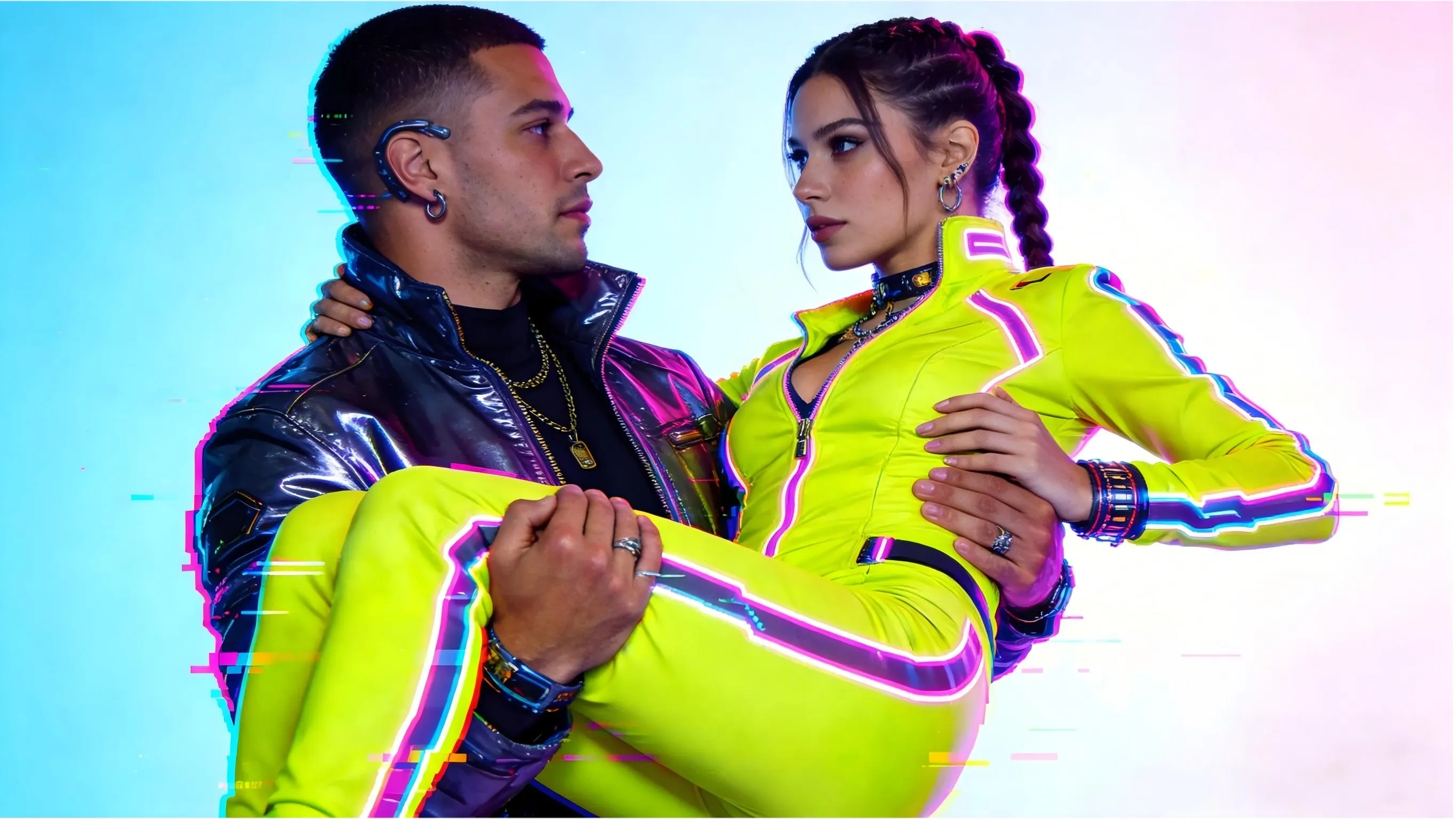
In 2026, mastering Human Interaction is what separates the pros from the amateurs. After testing Sora 2 and Wan 2.6 extensively, I’ve cracked the code. It’s not just art; it’s physics.
If you’re already familiar with the basics and just need the exact codes to start generating, you can skip ahead to our Browse the Full Prompt Library: 20+ Ready-to-Use Codes.
1. The "Big Two": Sora 2 vs. Wan 2.6
Don't waste credits on the wrong model. Based on my field reports:
🏆 Sora 2.0 (The Gravity King): Best for Weight. It understands that a human body has mass. If you want a cinematic, heavy lift with realistic gravity, go Sora.
💎 Wan 2.6 (The Beauty Expert): Best for Detail. If you need flawless faces and silk dresses that flow like liquid water, Wan is your weapon.
Pro Insight: For TikTok, I prefer Wan 2.6 for its speed (35s render) and "aesthetic" skin textures.
2. The "Cheat Code" Prompt
Stop asking the AI to "draw a man carrying a woman." You have to define the Contact Points.
The Alpha Prompt (Copy/Paste):
Prompt: Cinematic 4K. A man performing a weighted princess carry. Critical Anchor: His right arm is firmly under her shoulder blades, left arm is locked under her knees. Visible gap at the neck. High gravitational load, no merging pixels.
Why it works: It creates "Skeletal Anchors" that stop the AI from blending the two bodies into one blob.
3. Two "Secret" Hacks for Perfect Clips
A. The Contrast Rule (Visual Fence)
Never dress both characters in the same color.
Fail: White dress + White shirt = Pixel Fusion.
Win: Emerald Green Silk + Matte Black Suit. The color contrast acts as a "hard border" for the AI’s edge-detection.
B. The "4-Second Rule"
AI starts to "hallucinate" limbs after 3.5 seconds. My Workflow: Generate a perfect 4-second lift, then use the "Extend Video" feature. This "locks" the anatomy so the AI doesn't grow a third leg halfway through.
4. FAQ: Solving the "Uncanny Valley"
Q: My character has 3 arms during the lift. How do I fix this?
A: This is usually caused by a "Frontal View." The Fix: Change your camera angle to "3/4 side view" or "Profile." This gives the AI a clear Z-axis to separate the limbs.
Q: Why does the woman look like she is "floating" above his arms?
A: Your prompt lacks Downward Pressure. Add keywords like weighted contact or arms exerting upward force to force the AI to simulate gravity correctly.
Q: Sora 2 or Wan 2.6 for AI Fashion?
A: Wan 2.6. Its textile shaders are currently superior for showing how silk or satin drapes over a support (like an arm).
Q: Can I fix a "merged" limb after the video is generated?
A: In Wan 2.6, use the Precision Brush to mask the area and re-generate just that section. In Sora 2, it’s better to refine the prompt and re-roll.
5. Troubleshooting (Quick Reference)
| Problem | The Expert Fix |
| Melting Limbs | Switch to a 45° side view. Never shoot frontal. |
| Garbled Hands | Ensure fingers are specified as distinct and gripping. |
| Jittery Motion | Lower the Motion Strength (keep it between 3-5). |

Michael Craig
Those usually think tell what less present.